
Unicode Messages in CXT
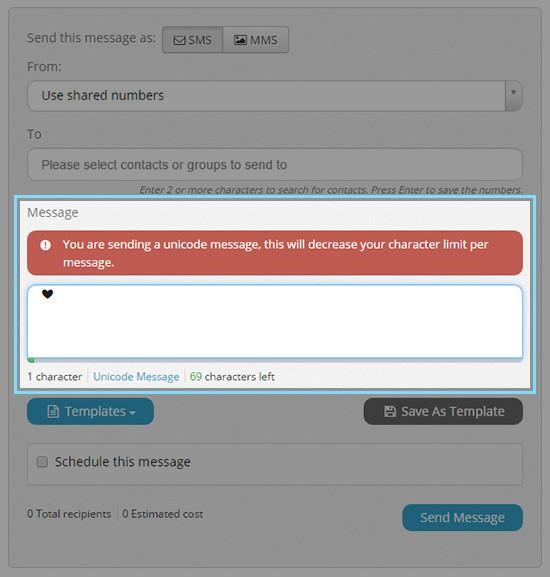
When you try to send a message with Unicode in CXT, a warning box will appear with the message ‘This is a Unicode message’.
To prevent Unicode from being added to your message, try writing it directly in CXT instead of pasting from other programs like Word.
A simple way to avoid Unicode is to paste your message as ‘plain text’.
The character counter beneath the message box will update to display how many characters are left in your Unicode message, which has a limit of 70 characters.
Deleting all Unicode characters from the message box will dismiss the warning and revert the character count to that of a standard message.
To learn more, check out A Guide to Unicode Characters and Message Encoding.